A No Nut November app for iPhone: Open Book's free 30-day challenge
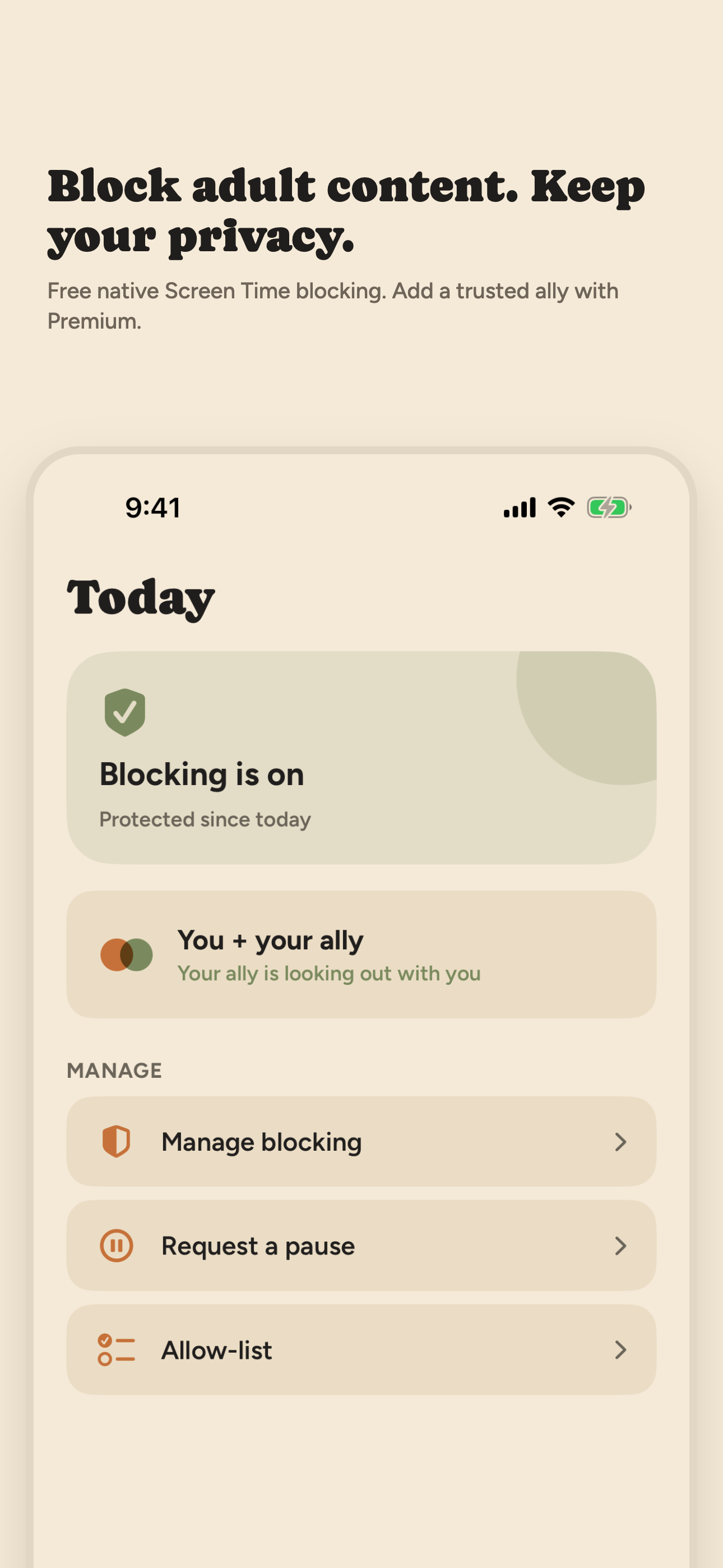
Open Book (our app) pairs a free 30-day challenge with Screen Time blocking on your iPhone. Start the challenge on November 1 and Day 30 is November 30. A day counts when blocking stays on all day with no pause. There is no VPN, and no one else can see your days.
Direct App Store link · iPhone with iOS 17 or later
Updated October 2026. Disclosure: we make Open Book. Facts about other apps come from their US App Store listings, read on October 30, 2026.
What No Nut November asks, and where an app helps
No Nut November is an internet challenge: go the 30 days of November without porn or masturbation. An app can't do the challenge for you, but it can make porn harder to reach in those moments and show you how many days you have kept.
Open Book does two things for that. It blocks adult websites in Safari and the apps, app categories and websites you choose, using Apple's Screen Time controls. And its 30-day challenge counts each day blocking stayed on. It only knows whether blocking stayed on. The rest of your goal is yours to keep.
How to set up Open Book for No Nut November
- Install Open Book on an iPhone with iOS 17 or later, and allow Screen Time access when Apple asks.
- Choose what to block. Safari's adult-content filter turns on automatically when blocking is on. Use Apple's picker to add the apps, app categories and websites that pull you in. App exceptions keep the apps you need working.
- Start the challenge on November 1. Tap Start the challenge on the Home screen, then Start today. Day 1 is the day you start, so a November 1 start makes Day 30 November 30.
- Allow notifications if you want reminders. Open Book sends a reminder at 9 a.m. on the mornings after days 7, 14, 21 and 30. If you start on November 1, that is November 8, 15 and 22, and December 1. The challenge still runs if you say no.
- Check your grid. Each of the 30 days shows as kept, paused or blocking off once it ends.
How the 30 days count
- Kept: blocking was on for the whole day, and no pause started or ended.
- Paused: you took a 15-, 30- or 60-minute pause that day, and blocking was never off.
- Blocking off: blocking was off at any point that day.
- Today isn't judged until it ends. On the first day, time before you tapped Start doesn't count against you.
If you slip, Start over makes today Day 1 again. Starting over in the middle of November means your 30 days end in December. That is fine: the goal is the 30 days, not the calendar. When a challenge ends you can start another 30 days.
The challenge is built from Open Book's Activity log on your iPhone. Open Book has no partner or reports, so no one else sees your days unless you show them. The app sends only anonymous usage counts, such as when a challenge starts or ends, as its privacy policy describes.
Keeping blocking on through November
The hard part of November is the moment you want to turn the blocker off. Open Book adds two kinds of friction.
- A 30-second wait, free. Stopping blocking in the app takes a 30-second wait. It is short, but it gives an urge time to pass.
- Strict mode, paid and optional. Strict mode costs $9.99 a month or $59.99 a year. It lets you lock blocking for 1, 3, 7 or 30 days. Until the lock ends you can't stop blocking, pause, remove apps or add exceptions, though you can still add more apps and sites. A 30-day lock ends 30 days after you start it, so one started on the evening of November 1 ends on the evening of December 1. Subscribers can also make the stop wait longer.
Be honest with yourself about the limits. Turning off Open Book's Screen Time access in iPhone Settings ends all blocking at any time, even during a lock, and it shows in your Activity. No blocker you control yourself is bypass-proof. Open Book does not stop new app downloads; Apple's Installing Apps setting does that. A Screen Time passcode chosen by someone you trust adds more friction; our guide to blocking adult content on iPhone shows how.
Other apps people use for No Nut November
Some people want a streak counter or a community more than a blocker. These are the other apps that come up most for No Nut November. We describe each from its own App Store listing, read on October 30, 2026. We have not tested them hands-on.
Swipe horizontally to compare.
| App | Tracks days? | Blocks content? | Cost, as listed |
|---|---|---|---|
| Open Book | 30-day challenge | Yes: Apple's Safari filter, plus apps, categories and sites you pick; no VPN | Free; Strict mode $9.99/mo or $59.99/yr |
| Iron Will | Timers, counters, goals | No blocker described | "Completely free", per its listing |
| TrueAlly | Streak, calendar, 42-day plan | A pause before apps you pick, and an optional adult-website filter | Free to download; see its listing |
| Brainbuddy | 100-day program, progress tracking | Content blocker and web filter | Premium subscription required after onboarding |
| I Am Sober | Day counter, daily pledge, milestones | No blocker described | Free to download; see its listing |
Open Book (we make it)
A blocker with the 30-day challenge above, 15-, 30- and 60-minute pauses, a private Activity log of event types and times, and an optional weekly recap. Basic blocking and the challenge are free. It installs no VPN and does not collect or share your browsing history. It has no lessons, community or partner, and no public App Store ratings yet. How Open Book blocks porn on iPhone.
Iron Will
Iron Will: Quit your addiction is a progress tracker with timers, counters, goals, daily quotes, milestones and a Discord community. Its listing calls it "Completely Free: No ads, no hidden costs." It does not describe blocking. App Store rating: 4.8 from 1,201 ratings.
TrueAlly
TrueAlly: Quit Lust & Urges offers a 42-day plan with short daily lessons and an AI coach, help when an urge hits, and a "Guard" that puts a pause in front of the apps you pick during your risky hours, with an optional filter for adult websites. It also has growing self-contracts, a streak and calendar, and a community. App Store rating: 4.6 from 27 ratings.
Brainbuddy
Brainbuddy: Quit PMO offers a 100-day education program, progress tracking, a community, and a content blocker and web filter. Its listing says all features require a paid Brainbuddy Premium subscription after onboarding. App Store rating: 4.7 from 26,022 ratings.
I Am Sober
I Am Sober is a general sobriety counter for any habit: a day tracker, a daily pledge, milestones and a large community. It is not built for porn specifically and has no blocker. App Store rating: 4.9 from 190,041 ratings.
Which one fits
If what you need is to make porn harder to reach and see your days add up, use Open Book or Apple's free Screen Time filter. If you want lessons, a plan or a community, look at TrueAlly, Brainbuddy or Iron Will, and check what each costs before a trial ends. Some people use a blocker and a tracker together. For more than November, our guide on how to stop watching porn covers triggers, urges and when to get help.
Frequently asked questions
Is there a free app for No Nut November?
Yes. Open Book's basic blocking and its 30-day challenge are free on iPhone. Apple's Screen Time filter for adult websites is also free and built in. Iron Will's App Store listing says it is completely free, but it tracks days and does not block. Open Book's Strict mode is an optional paid add-on.
When should I start the 30-day challenge for No Nut November?
On November 1. Day 1 is the day you tap Start today, so a November 1 start makes Day 30 November 30. If you start later or start over, your 30 days run into December.
What counts as a kept day in Open Book's challenge?
A day counts when blocking stays on all day with no pause. A day with a pause shows as paused, and a day when blocking was off at any point shows as blocking off. Today isn't judged until it ends.
Can Open Book stop me from turning blocking off during November?
It adds friction, not a guarantee. Stopping blocking in the app takes a 30-second wait. Strict mode, $9.99 a month or $59.99 a year, can lock blocking for 1, 3, 7 or 30 days, and until the lock ends you can't stop blocking, pause, remove apps or add exceptions. Turning off Screen Time access in iPhone Settings still ends all blocking, and it shows in your Activity.
Can anyone see my No Nut November progress in Open Book?
No one else can see your days. Open Book has no partner or reports, and the Activity log stays on your iPhone. The app sends only anonymous usage counts, such as when a challenge starts or ends, as its privacy policy describes. If you want someone involved, tell them yourself.
Sources: Open Book 1.0.6 on the App Store; US App Store listings for Iron Will, TrueAlly, Brainbuddy and I Am Sober, and the iTunes Search API for ratings, all read on October 30, 2026.
On a desktop? Point your iPhone camera here to open Open Book on the App Store.