Covenant Eyes alternatives for iPhone without a VPN
On iPhone, Covenant Eyes' Victory Shield app runs a VPN to monitor your activity, according to its own install guide. If you want an alternative without a VPN, Apple's built-in Screen Time restrictions and Open Book (our app) block on your own phone with no VPN and no reports. If you want a partner to get reports, Ever Accountable says it works without a VPN; Accountable2You and BlockerX use one.
Direct App Store link · iPhone with iOS 17 or later
Updated October 2026. Disclosure: we make Open Book. Covenant Eyes facts below come from its own site, support pages and App Store listings, read in October 2026; the VPN facts were read on October 30, 2026.
What Covenant Eyes does on iPhone
Covenant Eyes' current product is Victory. The free Victory app has daily check-ins, mini-courses and a community. The paid Victory Shield app is the part that protects the device. According to Covenant Eyes' how-it-works page, on iPhone Shield takes periodic screenshots in Safari only, reports likely explicit domain names from other apps, and blocks with a custom block and allow list. Screenshots and reports go to an ally you choose, and Covenant Eyes recommends pairing Shield with Apple's Screen Time limits for fuller coverage. Its pricing page lists $18 a month, $198 a year or $950 lifetime for website purchases (as of October 2026). Its end-user terms give first-time users who cancel within 30 days a refund and exclude purchases made through App Store in-app purchasing.
Covenant Eyes is a strong fit if you want a relationship built into the tool: a person you trust who sees your activity, with counselor-reviewed courses and a community around it. Victory Shield has a 4.3 App Store rating from 59,677 ratings (as of October 30, 2026).
Does Covenant Eyes use a VPN on iPhone?
Yes. Covenant Eyes' iPhone install guide has you tick "I agree to allow the Victory Shield VPN to monitor my activity" and then tap "Allow VPN Configuration". The same guide says Victory Shield needs Background App Refresh, and that it is not available to Apple Accounts based in China because Apple removed VPN apps there. Its VPN activity event article says the VPN "runs in the background to help provide device-wide monitoring" on iPhone, and that turning it off in Settings appears in the activity feed and triggers a check-in for your ally.
Apple's Screen Time filter and Open Book work differently. They use Apple's Screen Time controls on the phone itself, so there is no VPN to stay connected, and nothing to switch off in VPN settings.
What App Store reviewers say about the VPN
We read the 500 most recent US App Store reviews of Victory Shield (April 2024 to October 2026) from Apple's public review feed on October 30 and 31, 2026. 395 of them were rated 1 to 3 stars, and about 248 of those, roughly 6 in 10, mention the VPN, the internet connection or battery. That is our keyword count, not a hand-read of every review, and recent low reviews are not the whole picture: the app's lifetime average is 4.3 stars. Two examples, in reviewers' own words: "since their last major update my vpn cannot stay connected and keeps turning off and on", and "I find just browsing news or business websites that the vpn just wont allow anything to load."
How we chose
We looked for iPhone options for someone who wants Covenant Eyes' goal, keeping adult content out of reach, and may not want its sharing. Each one is checked against its maker's own site, its App Store listing and Apple's documentation, read in October 2026. We did not hands-on test every app. We make Open Book, so weigh our view with that in mind. Costs and ratings are as published that month and change.
What public reviews say about Covenant Eyes
On Trustpilot, Covenant Eyes shows 4.0 out of 5 from 78 reviews as of October 2026, split mostly between five-star (44%) and one-star (40%). Trustpilot does not fact-check reviews, and 78 is a small sample. Reviewers praise prompt, helpful customer support and, among long-term users, accountability and blocking that work as intended; one wrote that "Customer service is top notch and often concierge level." Critical reviews most often mention cost, difficulty cancelling or getting a refund, flags on harmless images, and phone slowdowns or conflicts with other apps. These are reviewers' own accounts, not our findings.
What to weigh (our assessment, from each product's documented approach)
- Sharing is the design. Covenant Eyes sends screenshots and domain reports to another person. If you want a block and no audience, that is more than you need.
- Where you buy matters. Its pricing is for website purchases, and its terms exclude App Store in-app purchases from the 30-day refund. Read the terms before choosing where to subscribe.
- Coverage on iPhone. Screenshots are taken in Safari only; other apps are covered by domain reports and blocking.
- It runs through a VPN. Monitoring on iPhone depends on the Victory Shield VPN staying on. Connection problems are the most common theme in its recent low App Store reviews.
- Faith framing. Its App Store listing is written for Christians. That suits many people and not everyone.
Swipe horizontally to compare.
| Option | VPN on iPhone? | Blocks on the phone? | What another person can see | Cost, as published |
|---|---|---|---|---|
| Covenant Eyes (Victory) | Yes | Yes | Safari screenshots, explicit-domain reports, activity feed | $18/month, $198/year, $950 lifetime |
| Apple Screen Time | No | Adult websites, plus sites you add | Nothing from the adult-content filter. Screen Time has separate optional usage reports and family features. | Free, built in |
| Open Book | No | Adult websites in Safari, apps and categories you choose | Nothing: no browsing history is collected or shared | Free; Strict mode $9.99/mo or $59.99/yr |
| Canopy | MDM profile; may also need a VPN configuration, per its support pages | AI filter for explicit content; traffic filtered on Canopy's servers (per its FAQ) | Optional review of settings changes | From $8.33/month billed annually |
| Ever Accountable | No, per its listing | Optional filtering | Weekly reports at the detail you choose | $14.99/month or $129/year |
| BlockerX | Yes, per its listing | Yes | Daily browsing reports to a partner | $109.92/year or $199.97 lifetime |
| Accountable2You | Yes, per its iOS page | Not by design | Page titles, app usage, alerts | $11/month or $121/year |
Alternatives that block without browsing reports
Apple Screen Time
Go to Settings, Screen Time, turn on Content & Privacy Restrictions, then App Store, Media, Web, & Games, Web Content, Limit Adult Websites (steps per Apple's iOS 26 guide). It is free, and the adult-content filter on your own phone needs no one else to review it. Screen Time does have separate, optional usage reporting and family features: Apple documents that usage data can sync across devices on the same iCloud account and that a Family Sharing organizer can see a child's usage (Apple Platform Security). The filter is also general and easy to switch off yourself. Step-by-step Safari guide.
Open Book (we make it)
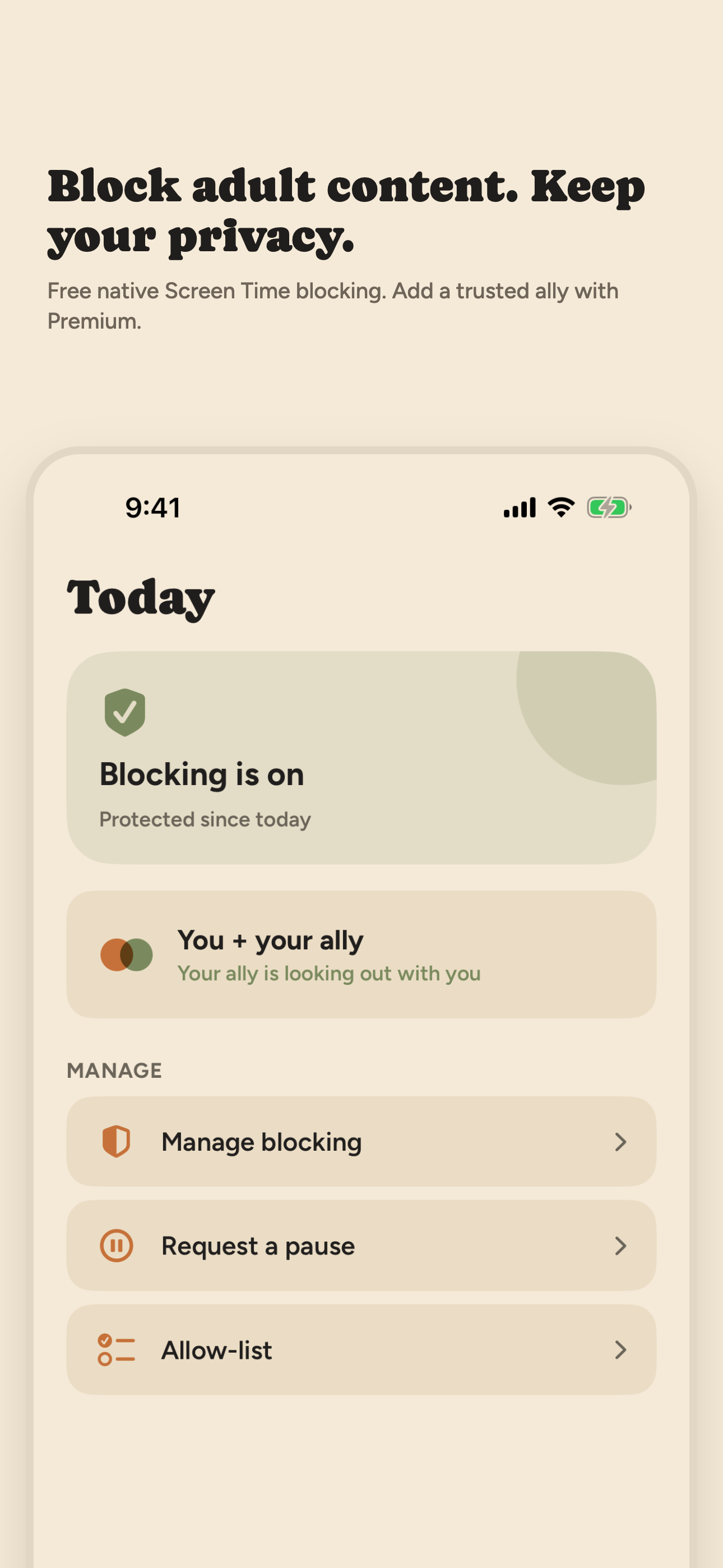
Open Book turns on that same Apple filter in Safari and adds blocking for apps, categories and websites you pick, app exceptions, 15-, 30- and 60-minute pauses, a private Activity log of event types and times, a 30-day challenge, and an optional weekly recap built on your iPhone. Stopping blocking in the app takes a 30-second wait. It installs no VPN, takes no screenshots, and does not collect or share your browsing history. Basic blocking is free. An optional paid Strict mode ($9.99 a month or $59.99 a year) can lock blocking for 1, 3, 7 or 30 days. It also has no public App Store ratings yet, and it does not report to another person. Blocking without a VPN, explained.
Canopy
Canopy filters explicit images, video and text on websites and AI chatbots, offers individual plans for adults, and has an optional feature where a person or AI Ally reviews requests to change your settings. Plans start at $8.33 a month billed annually for one device, with a 7-day free trial. Canopy's support pages document an iPhone setup through a Canopy MDM profile (iOS allows only one at a time) and note that VPN-based apps cannot run alongside it if its protection also needs a VPN configuration (install guide, VPN note). Its FAQ says it filters your web traffic through Canopy's server before it reaches your device, so unlike Apple's filter and Open Book it is server-side. Much of the product is built for parents. App Store rating: 3.8 from 1,667 ratings.
Alternatives that report to someone
If you want a partner to see your activity, these are the closer match to Covenant Eyes. Only Ever Accountable says, in its current App Store listing, that it works without a VPN. See also our guide to accountability partner apps.
Ever Accountable
Its App Store listing says it uses on-device AI with no VPN and sends weekly reports to the people you choose, at the detail you choose. Its site says it does not block porn by default; filtering is optional. $14.99 a month or $129 a year, 14-day free trial. App Store rating: 4.1 from 1,017 ratings.
BlockerX
A blocker with an accountability partner who receives daily browsing reports and notifications if the app is uninstalled or its VPN is disabled, per its App Store listing. blockerx.net lists $109.92 a year or $199.97 lifetime. App Store rating: 4.4 from 8,354 ratings.
Accountable2You
A monitoring service. Its iOS page says VPN technology records page titles in any browser, rated green, yellow or red, with limits inside non-browser apps. Personal plans are listed at $11 a month or $121 a year after a 10-day free trial (pricing). App Store rating for the Monitoring app: 3.7 from 258 ratings. A fuller comparison is in our best porn blocker for iPhone guide.
Which one fits
Choose Covenant Eyes or another reporting tool if having someone see your activity is what makes the change stick for you. Choose Apple's setting or Open Book if you want the block itself, without another person reading your browsing. Either choice is reasonable. No on-device blocker is bypass-proof, and you can also combine a blocker that does not report with a conversation with someone you trust.
Frequently asked questions
Does Covenant Eyes use a VPN on iPhone?
Yes. Covenant Eyes' iPhone install guide has you agree to let the Victory Shield VPN monitor your activity and allow its VPN configuration. Its support pages say the VPN runs in the background to help provide device-wide monitoring, and that turning it off in Settings shows up in the activity feed your ally can see.
What is a Covenant Eyes alternative without a VPN?
Apple's Screen Time content restrictions and Open Book block adult websites in Safari without a VPN, and Open Book also blocks the apps, app categories and websites you pick. Open Book's basic blocking is free. If you want a partner to get reports, Ever Accountable's App Store listing says it uses on-device AI with no VPN.
Is Covenant Eyes free?
Partly. The Victory app has free features such as daily check-ins, mini-courses and a community. The Victory Shield features that block content and share screen accountability need a paid membership. As of October 2026 Covenant Eyes' website lists $18 a month, $198 a year or $950 for a lifetime plan. Those are website-purchase terms. Its end-user terms give first-time users who cancel within 30 days a refund, and exclude purchases made through App Store in-app purchasing.
How does Covenant Eyes work on iPhone?
A member installs the Victory Shield app. On iPhone it takes periodic screenshots in Safari and shares them with a chosen ally through the Victory app. It also reports and can block likely explicit domain names in other apps, with a block and allow list. Covenant Eyes recommends pairing it with Apple's Screen Time limits.
What is a Covenant Eyes alternative that does not share my browsing?
Apple's built-in Screen Time content restrictions and Open Book both block on your iPhone, and the adult-content filter on your own phone needs no one else to review it. Open Book does not collect or share your browsing history. Screen Time itself has optional usage reporting and family features, which are separate from the filter. If you want another person to read reports, that is a different kind of tool, such as Ever Accountable or Accountable2You.
Can Open Book replace Covenant Eyes?
Only if what you need is the block. Open Book filters adult websites in Safari with Apple's Screen Time filter and shields the apps you choose. It does not collect or share your browsing history or send reports or screenshots to anyone, so it does not replace a tool where another person reads your activity.
Sources: covenanteyes.com Victory, how-it-works and pricing pages; support.covenanteyes.com iPhone install guide and VPN activity event article (read October 30, 2026); Apple's public App Store review feed for Victory Shield (read October 30 and 31, 2026); App Store listings for Victory Shield, Ever Accountable and BlockerX; canopy.us; everaccountable.com; blockerx.net; accountable2you.com; Apple iPhone User Guide (iOS 26); iTunes Search API for ratings. All read in October 2026.
On a desktop? Point your iPhone camera here to open Open Book on the App Store.