Best porn blocker for iPhone in 2026
The best porn blocker for an iPhone depends on whether you want to block, to be watched, or both. Apple's built-in Screen Time filter is free and enough for many people. Open Book, our app, adds app blocking, short pauses and a private log, also without a VPN. Covenant Eyes, Ever Accountable and Accountable2You are built around reports another person can read.
Direct App Store link · iPhone with iOS 17 or later
Updated October 2026. Disclosure: we make Open Book. We have tried to describe every option fairly, using each maker's own site and App Store listing.
How we chose
We included tools that work on iPhone today and that we could check against a maker's own site or App Store listing this month: Apple's built-in setting plus six apps. We did not number them, because they solve different problems. The first question is whether you want something that blocks, something that reports to another person, or both. Prices and ratings are as published in October 2026 and change, so confirm them before you buy. Wanting a block is an ordinary, practical choice, and none of these tools judges you for it.
Swipe horizontally to compare.
| Option | Approach | Blocks? | Reports to another person? | Cost, as published |
|---|---|---|---|---|
| Apple Screen Time | Built-in iOS setting | Adult websites, plus sites you add | Not by the adult-content filter. Screen Time has separate optional usage reports and family features. | Free, built in |
| Open Book | Native Screen Time, no VPN | Adult websites in Safari, apps and categories you choose | No. Does not collect or share browsing history. | See its App Store listing |
| Covenant Eyes (Victory) | Screenshots and domain reports, with blocking | Yes, with block and allow lists | Yes, to a chosen ally | $18/month, $198/year or $950 lifetime |
| Canopy | MDM profile; traffic filtered on Canopy's servers (per its FAQ) | Filters explicit images, video and text | Optional review of settings changes | From $8.33/month billed annually |
| BlockerX | Blocker with partner reports | Yes | Yes, daily browsing reports | $109.92/year or $199.97 lifetime |
| Ever Accountable | On-device AI reports, no VPN (its description) | Optional filtering | Yes, weekly reports | $14.99/month or $129/year |
| Accountable2You | VPN-based monitoring | Not by design | Yes, reports and alerts | $11/month or $121/year |
Option 1: block on your phone, no reports to another person
Apple Screen Time (free, built in)
Open Settings, tap Screen Time, turn on Content & Privacy Restrictions, tap App Store, Media, Web, & Games, then Web Content and choose Limit Adult Websites. Under Never Allow, Add Website blocks a specific address. Apple documents these steps in its iPhone User Guide for iOS 26.
Good for: anyone who wants a quiet filter and nothing else. Limits: Apple's list is automatic and general, so it can miss pages or over-block, and anyone with access to your Settings can switch it off. A Screen Time passcode held by someone you trust adds friction. Our Safari guide has the full walk-through.
Open Book (we make it)
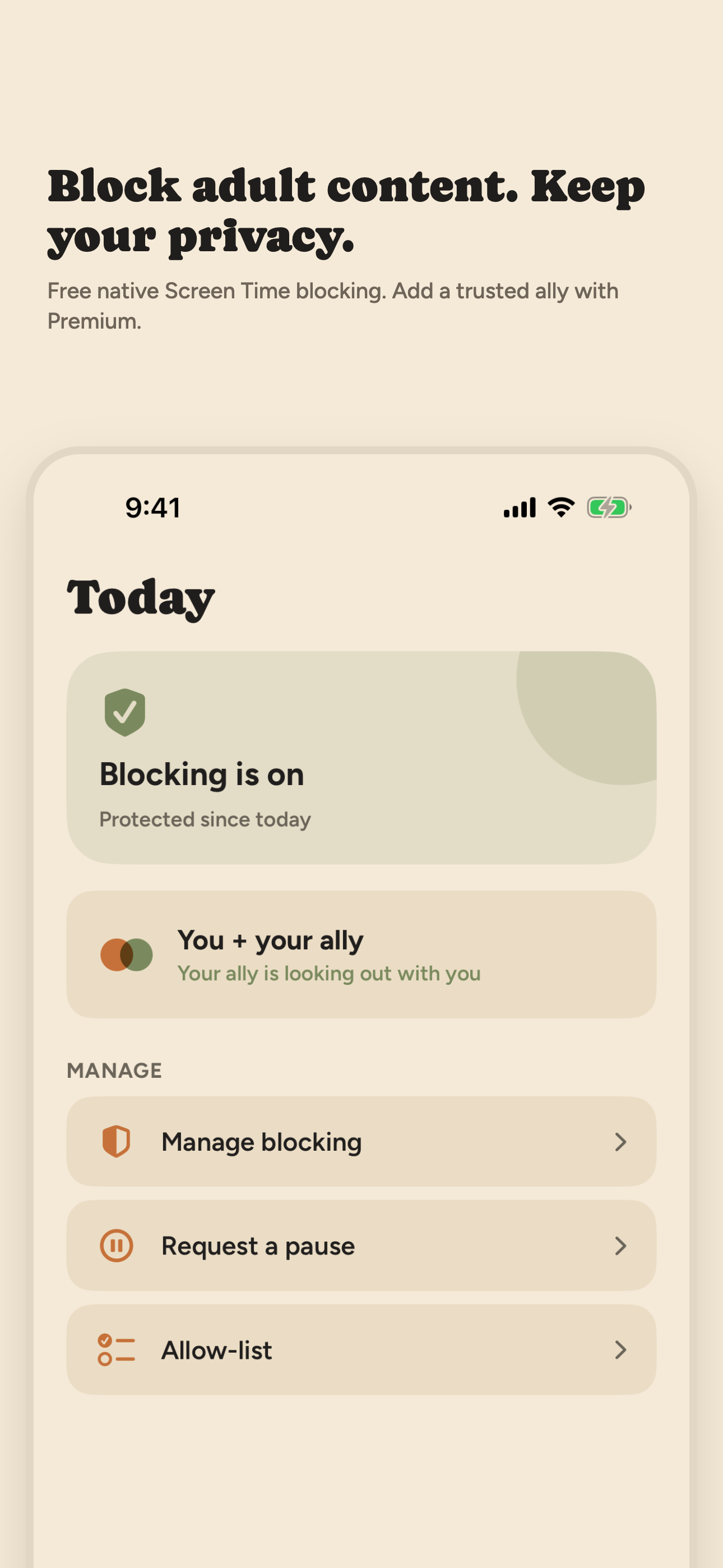
Open Book uses the same Apple Screen Time controls, through guided setup. When blocking is on, Safari's adult-content filter is on. You also pick apps, app categories and websites to block with Apple's own picker, and you can add app exceptions so the apps you rely on keep working. You can pause blocking for 15, 30 or 60 minutes. An Activity log records when blocking and pauses started and stopped, event types and times only, and an optional weekly recap is built on your iPhone. There is no VPN, and Open Book does not collect or share your browsing history.
Good for: adults who want blocking that is more structured than Apple's settings screens and who do not want anyone reading their activity. Limits: it uses Apple's filter, so it shares that filter's gaps. It does not report to another person, it is not bypass-proof, and it is new to the App Store with no public ratings yet (as of October 2026). How Open Book handles adult content.
Option 2: blocking plus reports a person can read
Covenant Eyes (Victory)
Covenant Eyes now sells Victory, an accountability and blocking service with a free Victory app and a paid Victory Shield app. Per its own site, Shield takes screenshots in Safari on iPhone, reports likely explicit domain names from other apps, and blocks with a custom block and allow list. Reports go to an ally you choose. Its pricing page lists $18 a month, $198 a year or $950 lifetime for website purchases. Its end-user terms give first-time users who cancel within 30 days a refund and exclude purchases made through App Store in-app purchasing. On the App Store, Victory Shield shows 4.3 stars from 59,521 ratings (as of October 2026). The listing frames the service around Christian recovery. See our Covenant Eyes alternatives.
Canopy
Canopy is a filtering and family-safety app from Netspark. According to canopy.us, it filters explicit images, video and text on websites and AI chatbots, offers individual plans for adults, and has an optional feature where a person or AI "Ally" reviews requests to change your own settings. Plans listed are Essential at $8.33 a month billed annually (one device), Plus at $9.99 and Premium at $12.50, each with a 7-day free trial. Canopy's support pages document an iPhone setup through a Canopy MDM profile installed from Safari, note that iOS allows only one MDM profile at a time, and say VPN-based apps cannot run alongside it if Canopy's protection also needs a VPN configuration (install guide, VPN note). Its FAQ says it filters your web traffic through Canopy's server before it reaches your device. That is server-side filtering, unlike Apple's filter and Open Book, which enforce on the phone. App Store rating: 3.8 from 1,603 ratings (as of October 2026). Much of the app is aimed at parents of children, so check which features apply to an adult managing their own phone.
BlockerX
BlockerX's App Store listing describes a website blocker for Safari and Chrome, a panic switch that cuts internet access, an accountability partner who receives daily browsing reports, and notifications if the app is uninstalled or its VPN is turned off. blockerx.net lists $109.92 a year or $199.97 lifetime and a 1-day free trial. App Store rating: 4.4 from 8,346 ratings (as of October 2026).
Option 3: monitoring first, blocking second
Ever Accountable
Ever Accountable says it uses on-device AI with no VPN to detect sensitive content across browsing and popular apps, and sends weekly reports to the people you choose (App Store listing). Its site states that by default it does not block porn; optional filtering is available. It lists $14.99 a month or $129 a year with a 14-day free trial. App Store rating: 4.1 from 1,016 ratings (as of October 2026).
Accountable2You
Accountable2You is a monitoring product. Its iOS page says VPN technology records activity in Safari, Chrome or any browser, including page titles rated green, yellow or red, and that it cannot reliably monitor inside non-browser apps. Its App Store listing says it shares activity with partners instead of blocking sites. Pricing lists Personal at $11 a month or $121 a year, with a 10-day free trial. App Store rating for the Monitoring app: 3.7 from 256 ratings (as of October 2026).
How to choose
- You want a quiet block and no one else involved: start with Apple's setting. Add Open Book if you also want app blocking, pauses and a private log.
- You want a person to see reports: look at Covenant Eyes, Ever Accountable, Accountable2You or BlockerX, and read what each records first. Reports are the point of those tools.
- You want to avoid a VPN: Apple's setting, Open Book and Ever Accountable (by its own description) say they do not use one. What the VPN trade means.
- You also want to stop new apps from being installed: see how to block app downloads on iPhone.
No blocker you control yourself is bypass-proof, and a tool alone rarely carries the whole change. If blocking is part of something bigger, support from a counselor or a trusted person is worth having.
Frequently asked questions
Is there a free porn blocker for iPhone?
Yes. Apple's Screen Time has a built-in setting called Limit Adult Websites, and it costs nothing. Go to Settings, Screen Time, Content & Privacy Restrictions, App Store, Media, Web, & Games, Web Content, then choose Limit Adult Websites. You can also add specific sites under Never Allow.
Do I need a VPN to block porn on iPhone?
No. Apple's Screen Time filter and apps built on it, such as Open Book, block on the device without a VPN. Some monitoring apps do use a VPN so they can record browsing and send reports to another person. That is a different goal from blocking.
Can a porn blocker see what I browse?
It depends on the type. Apple's Limit Adult Websites filter works on its own and needs no one else to review it, but Screen Time also has optional usage reporting and family features, and Apple documents that Screen Time usage data can sync across devices on the same iCloud account and that a Family Sharing organizer can see a child's usage. Open Book does not collect or share your browsing history. Monitoring tools such as Covenant Eyes, Ever Accountable and Accountable2You are designed to share reports about your activity with someone you choose. Read each tool's own description of what it records before installing.
Can I get around a porn blocker on iPhone?
Yes, on any blocker you control yourself. Whoever has access to your Settings can turn the filter off, and no on-device tool is bypass-proof. Blockers add friction at the moment it matters. A Screen Time passcode kept by someone you trust adds more.
Sources: Apple iPhone User Guide (iOS 26); Covenant Eyes Victory, how-it-works and pricing pages; canopy.us; blockerx.net; everaccountable.com; accountable2you.com iOS and pricing pages; iTunes Search API for App Store ratings. All read in October 2026.
On a desktop? Point your iPhone camera here to open Open Book on the App Store.