BlockerX alternatives for iPhone
If you want BlockerX's blocking without a VPN or partner reports, the closest alternatives block on the iPhone itself: Apple's free Screen Time filter and Open Book (our app). If the accountability partner is what you want to keep, Covenant Eyes, Ever Accountable and Accountable2You are built around reports to another person.
Direct App Store link · iPhone with iOS 17 or later
Updated October 2026. Disclosure: we make Open Book. We have tried to describe every option fairly. BlockerX facts below come from its own site and App Store listing, read in October 2026.
What BlockerX does on iPhone
BlockerX is an adult-content blocker from Atmana Tech. Its App Store listing describes blocking in Safari and Chrome, a website blocker where you type in a domain, a panic switch that blocks all internet access, an accountability partner who receives daily browsing reports, alerts if BlockerX is uninstalled or its VPN is disabled, a community and articles. The listing says BlockerX requires a subscription to access all features.
Prices depend on where you buy. blockerx.net lists $109.92 a year or $199.97 lifetime, a 1-day free trial and a 3-day money-back guarantee on the lifetime plan. Inside the iPhone app, the App Store lists in-app purchases that include Premium at $49.99 a month, $139.99 a year or $149.99 lifetime (all as of October 2026). BlockerX has a 4.4 App Store rating from 8,348 ratings (as of October 2026).
BlockerX fits someone who wants a blocker and a partner in one app, with a community around it. Two other details are worth reading before you subscribe. Its App Store listing describes a VPN on your phone (it offers alerts if the VPN is disabled), and its App Store privacy label, which the developer fills in, says purchases, identifiers and usage data may be used to track you across apps and websites owned by other companies.
How we chose
We looked for iPhone options for someone who wants BlockerX's goal, keeping adult content out of reach, and may not want a VPN or a partner reading reports. Each one is checked against its maker's own site, its App Store listing and Apple's documentation, read in October 2026. We did not hands-on test every app. We make Open Book, so weigh our view with that in mind. Costs and ratings are as published that month and change.
What App Store reviews say about BlockerX
We read the 50 most recent US App Store reviews of BlockerX, written between June 19 and October 19, 2026, through Apple's public review feed. 33 gave four or five stars, 7 gave three and 10 gave one or two. Many positive reviews are a word or two. The longer ones say the app helped them control urges or see how deep the habit had gone. Critical reviews most often mention payment and access: being asked to pay again, a lifetime purchase that did not restore or lost features after an update, a separate charge for a Mac, and refunds refused. Individual reviews also describe the VPN blocking mobile data, the "type a long sentence" unlock step not accepting punctuation, and blocking that was easy to switch off in Screen Time. These are reviewers' own accounts, not our findings. On Trustpilot, blockerx.net has only five reviews, too few to draw from.
What to weigh (our assessment, from each product's documented approach)
- VPN or not. BlockerX's App Store listing describes a VPN, as several monitoring apps use. Apple's filter and Open Book block without one. What the VPN trade means.
- Reports or not. Daily browsing reports to a partner are a core BlockerX feature. If you want a block and no audience, that is more than you need.
- Where you pay. Website and in-app prices differ, so compare both before you subscribe.
Swipe horizontally to compare.
| Option | How it blocks | What another person can see | Cost, as published |
|---|---|---|---|
| BlockerX | Blocker that runs a VPN (per its listing) | Daily browsing reports to a partner | Site: $109.92/year or $199.97 lifetime. In-app Premium: $49.99/month, $139.99/year or $149.99 lifetime |
| Apple Screen Time | Built-in filter for adult websites, plus sites you add | Nothing from the adult-content filter. Screen Time has separate optional usage reports and family features. | Free, built in |
| Open Book | Apple Screen Time, no VPN; adult websites in Safari, apps and categories you choose | Nothing: no browsing history is collected or shared | See its App Store listing |
| Canopy | Filters explicit content on Canopy's server (per its FAQ) | Optional review of settings changes | From $8.33/month billed annually |
| Covenant Eyes (Victory) | Blocks likely explicit domains, with block and allow lists | Safari screenshots and explicit-domain reports | $18/month, $198/year or $950 lifetime |
| Ever Accountable | On-device AI, no VPN (its description); filtering optional | Weekly reports at the detail you choose | $14.99/month or $129/year |
| Accountable2You | Does not block (per its pricing page) | Browsing and app activity reports | $11/month or $121/year |
Alternatives that block without reports
Apple Screen Time
Go to Settings, Screen Time, turn on Content & Privacy Restrictions, then App Store, Media, Web, & Games, Web Content, Limit Adult Websites. Add specific sites under Never Allow (steps per Apple's iOS 26 guide). It is free, uses no VPN, and the adult-content filter needs no one else to review it. It has no panic switch, partner or community, and anyone who knows your Screen Time passcode can switch it off. To cover explicit music, video, apps and images in Messages too, see how to block adult content on iPhone.
Open Book (we make it)
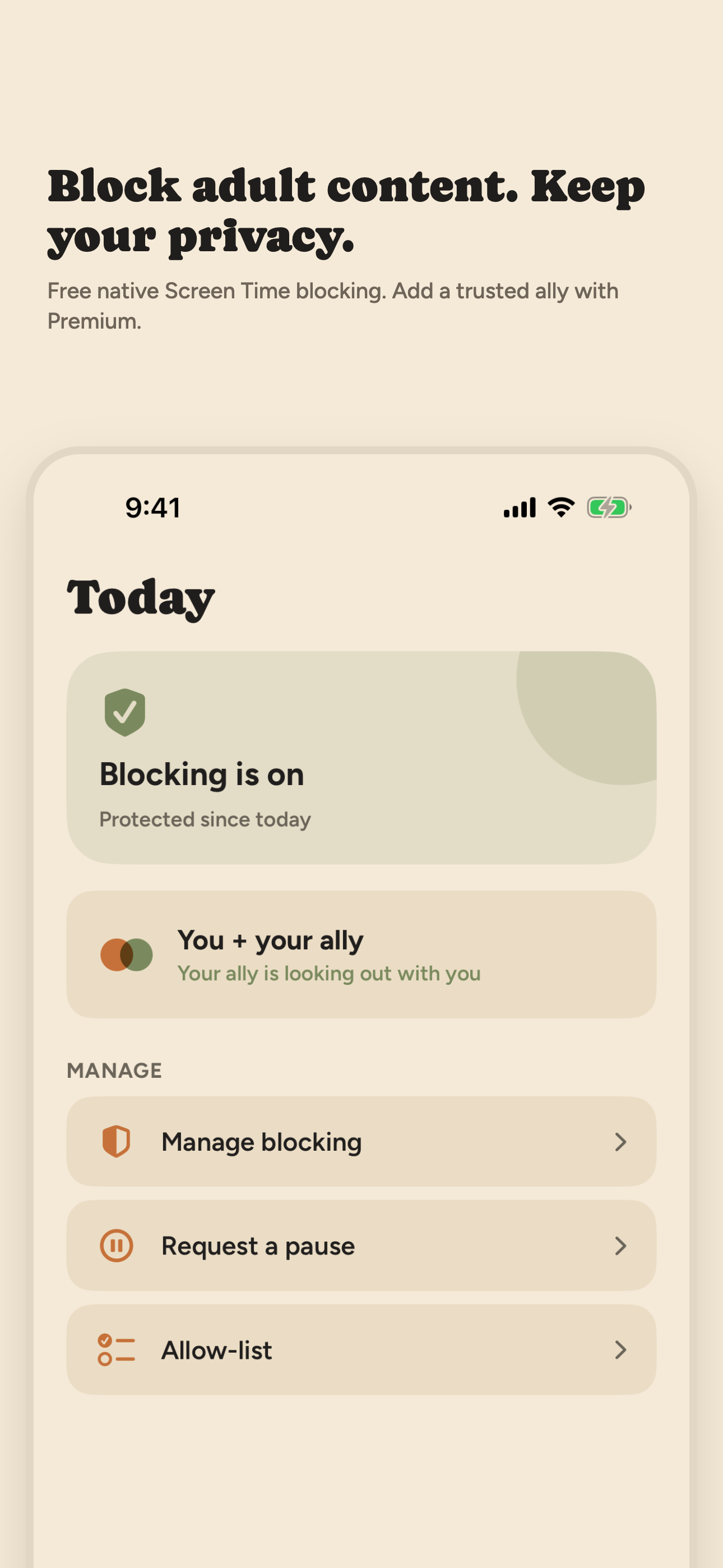
Open Book turns on that same Apple filter in Safari whenever blocking is on, and blocks the apps, app categories and websites you pick with Apple's own picker. App exceptions keep the apps you rely on working, and you can pause blocking for 15, 30 or 60 minutes. A private Activity log records when blocking and pauses started and stopped, event types and times only, and an optional weekly recap is built on your iPhone. It installs no VPN and does not collect or share your browsing history. Compared with BlockerX, it has no partner, reports, community or panic switch, it is not bypass-proof, and it has no public App Store ratings yet (as of October 2026). How Open Book handles adult content.
Canopy
Canopy removes explicit images, video and text from websites, social media and AI chatbots, and offers individual plans for adults. An optional feature lets a person or AI Ally review requests to change your own settings. Its FAQ says it filters your web traffic through Canopy's server before it reaches your device, so the filtering is server-side, unlike Apple's filter and Open Book. Plans start at $8.33 a month billed annually for one device, with a 7-day free trial. App Store rating: 3.8 from 1,638 ratings (as of October 2026). Much of the app is aimed at parents.
Alternatives that report to someone
Covenant Eyes (Victory)
Victory Shield takes screenshots in Safari only and, for other browsers and apps, detects and can block likely explicit domains, per Covenant Eyes' how-it-works page. Members and their allies view reports and an activity feed in the Victory app. Its pricing page lists $18 a month, $198 a year or $950 lifetime for website purchases. App Store rating for Victory Shield: 4.3 from 59,608 ratings (as of October 2026). Our Covenant Eyes alternatives guide has more.
Ever Accountable
Its App Store listing says it uses on-device AI with no VPN, and you choose who gets reports and at what detail. Its site says it does not block porn by default; filtering is optional. $14.99 a month or $129 a year, with a 14-day free trial. App Store rating: 4.1 from 1,016 ratings (as of October 2026).
Accountable2You
Its pricing page says it does not block websites or filter content, and its App Store listing says it monitors browsing activity and app usage and shares reports with partners you choose. Personal plans are $11 a month or $121 a year after a 10-day free trial. App Store rating for the Monitoring app: 3.7 from 258 ratings (as of October 2026). For a side-by-side of every option, see the best porn blocker for iPhone.
Which one fits
Choose Apple's setting or Open Book if you want the block itself, with no VPN and no one reading your activity. Choose BlockerX, Covenant Eyes or Ever Accountable if a partner seeing reports is what helps you, and read what each one records first. Either choice is reasonable. No blocker you control yourself is bypass-proof, and a tool alone rarely carries the whole change.
Frequently asked questions
Is BlockerX free?
The iPhone app is free to download, but its App Store listing says BlockerX requires a subscription to access all features. As of October 2026, blockerx.net lists $109.92 a year or $199.97 lifetime with a 1-day free trial, and the App Store lists in-app purchases that include Premium at $49.99 a month, $139.99 a year or $149.99 lifetime. Apple's Screen Time filter is the free alternative.
Does BlockerX use a VPN on iPhone?
Yes. Its App Store listing offers alerts if BlockerX is uninstalled or the VPN is disabled. Apple's Screen Time filter and Open Book block on the iPhone without a VPN.
What is a BlockerX alternative without an accountability partner?
Apple's Screen Time content restrictions and Open Book block adult websites on your iPhone without sending reports to anyone. Open Book adds blocking for apps and app categories you choose, short pauses and a private Activity log. It does not collect or share your browsing history.
Can Open Book replace BlockerX?
Only for the blocking. Open Book filters adult websites in Safari with Apple's Screen Time filter and blocks the apps, categories and websites you pick. It has no accountability partner, daily reports, community or panic switch, so it does not replace those parts of BlockerX.
Sources: BlockerX App Store listing, in-app purchase list, privacy label and the 50 most recent US App Store reviews (Apple's public review feed); blockerx.net; Trustpilot; canopy.us and its FAQ; Covenant Eyes how-it-works and pricing pages; everaccountable.com; accountable2you.com pricing; Apple iPhone User Guide (iOS 26); iTunes Search API for ratings. All read in October 2026.
On a desktop? Point your iPhone camera here to open Open Book on the App Store.