Your ally sees the signal. Never the content.
The complete inventory of what up to five allies can see in their private portal — and everything they cannot. No surprises for either side.
Direct App Store link · Allies join free · Web account, no app
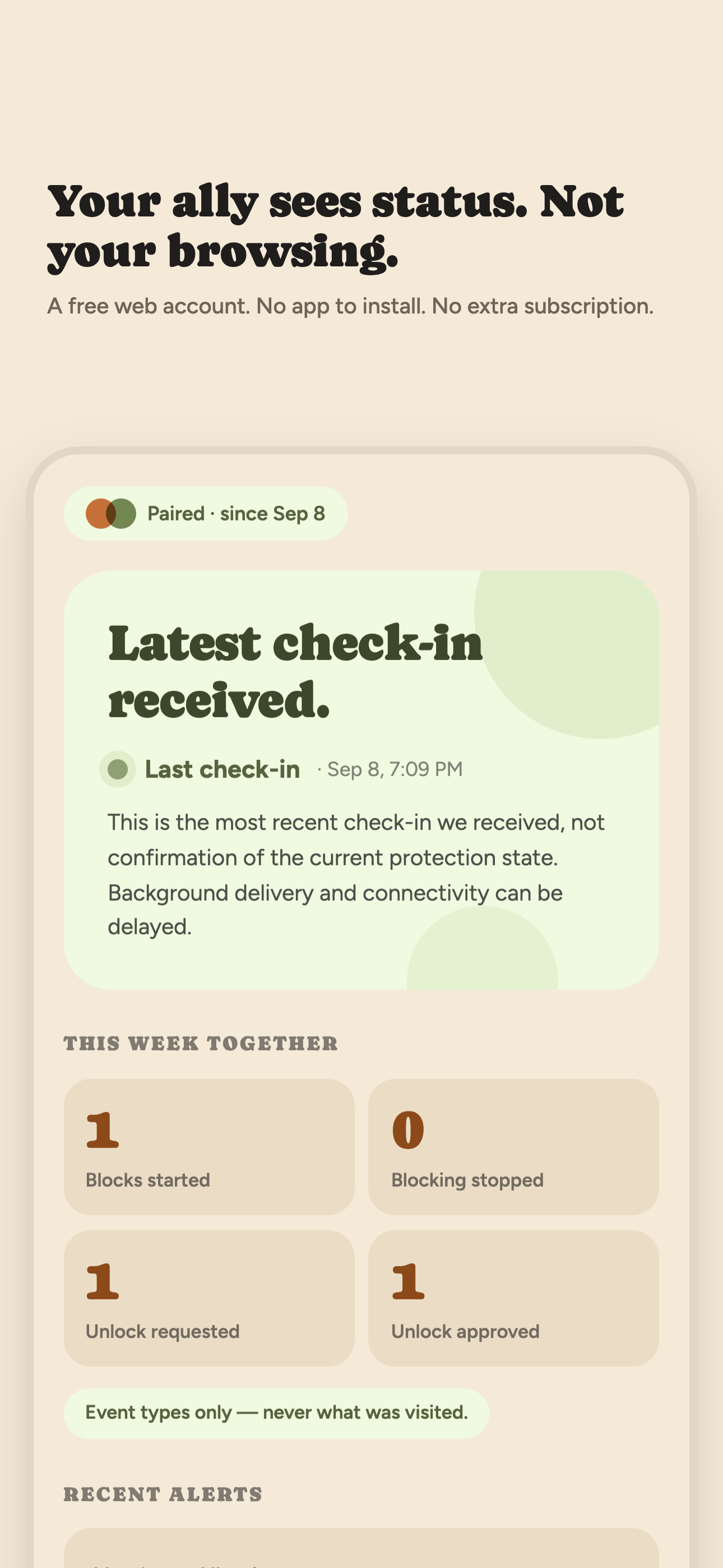
Event types only — never what was visited. No websites, no history, no app-use details, no screenshots, no message contents. Ever.
What allies see
Protection-related event types with times — for example, that protection may have changed, that a pause was requested or decided, or that the connection ended. Check-in status — whether the device is checking in normally or has gone quiet. Pending pause requests they can approve or decline from the portal. That is the whole list.
What allies never see
Websites or URLs. Browsing history. Which apps were used, for how long, or when. Screenshots or screen recordings. Message contents. Your location, contacts, or anything outside the event-type inventory above. Open Book cannot show these to anyone because they never leave your phone.
What text alerts say
Status-free on purpose: a message tells the ally that the dashboard needs a look, without naming any event, site, or app. If a message ever contained details, that would be a defect, not a feature. Alerts are optional — the ally chooses in the portal whether to receive them, and consent details are at How SMS consent works.
Five allies, free, no app
Invite up to five people — a partner, friend, sponsor, mentor, or any combination. Each creates a free web account and opens the private portal in a browser. Nobody needs to install anything or pay for a seat.
Voluntary on both sides
You can remove an ally, delete your account, or revoke Screen Time permission in iPhone Settings without anyone's approval. An ally can stop too. Alerts depend on connectivity and background check-ins arriving; a missed check-in is not proof that protection changed — it means the dashboard needs a look, nothing more. What the subscription covers · Support · Privacy.
On a desktop? Point your iPhone camera here to open Open Book on the App Store.