Open Book and Covenant Eyes take different roads.
Covenant Eyes builds accountability around detailed activity reports; Open Book blocks on-device and shows allies types only. Both can block — they differ in what your ally sees.
Direct App Store link · Free blocking · Allies always free
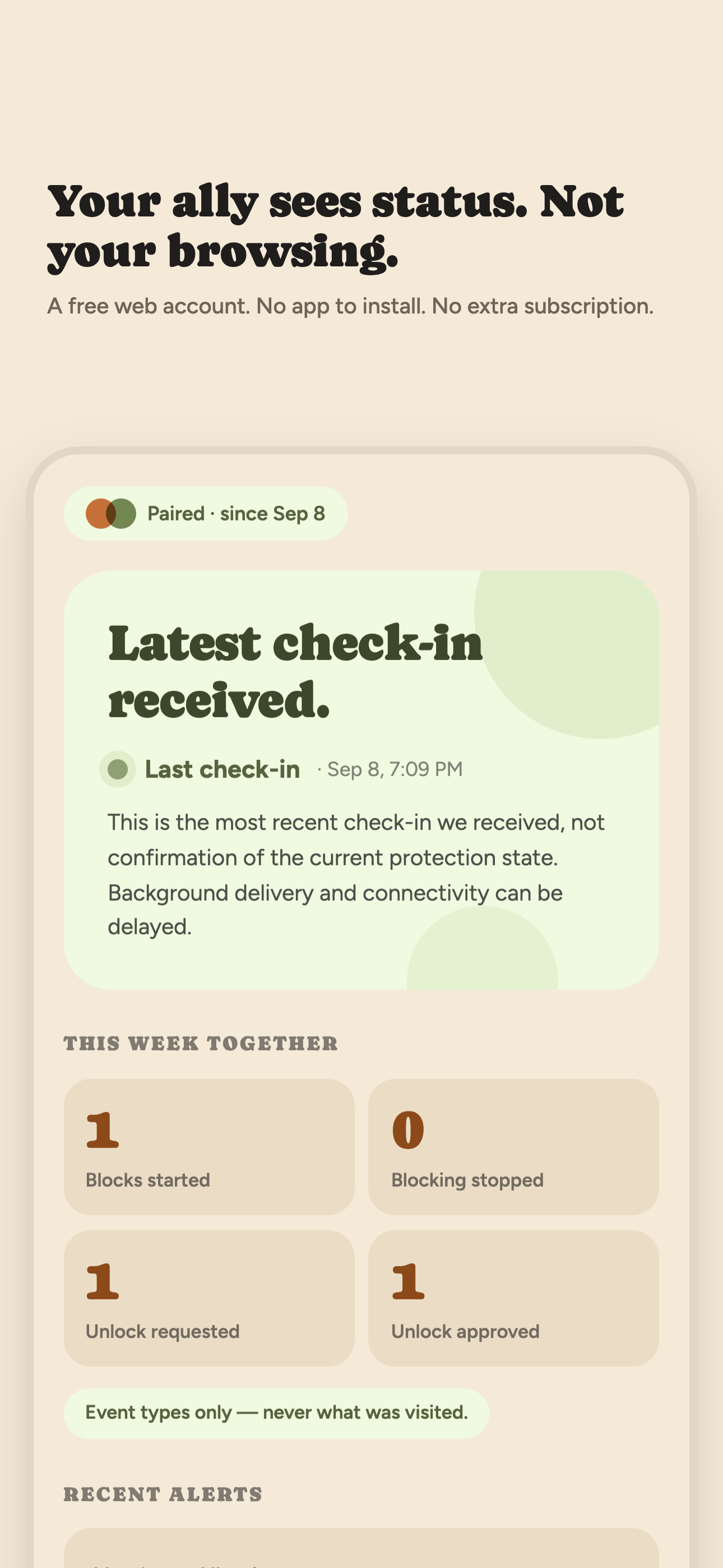
The core difference: with Open Book your ally never sees browsing detail. They see that something happened — never what.
What Covenant Eyes Victory is
Victory has two parts: Victory Shield, which runs in the background, monitors online activity, takes periodic screenshots, detects potentially explicit content, and offers optional porn blocking; and the Victory app for phone and web, where members and allies review activity reports, stay connected, and use growth tools (source: Covenant Eyes — How Victory works, current as of Sep 22 2026). For current plans, see their pricing section directly — prices change and are not quoted here.
On iPhone and iPad, specifically
Victory Shield on iPhone and iPad takes screenshots within the Safari browser only. For other browsers and apps it detects — and can block — likely explicit domain names. For the fullest iPhone and iPad protection, their own guidance is to use Victory Shield together with native iOS Screen Time limits and app restrictions. Through the Victory app, members and allies can check in, view reports and the activity feed, and share private messages. Victory does not take screenshots of text messages on iPhone or iPad, though it reports likely explicit domain names found in texts (source: Covenant Eyes — How Victory works, iOS section, current as of Sep 22 2026). Coverage differs by platform: on Mac and Windows, Shield takes screenshots of device activity plus optional blocking — broader than on iOS.
Swipe horizontally to compare.
| Question | Covenant Eyes (Victory) | Open Book |
|---|---|---|
| Core mechanic | Shield monitoring with screenshots plus optional blocking; Victory app for reports, feed, and ally messaging (How Victory works) | On-device Screen Time blocking with optional witnessing; blocking is the free tier |
| What the ally reads | Activity reports, the activity feed, and private messages; screenshots where the platform takes them (How Victory works) | Event types and check-in status; never titles, sites, history, or screenshots |
| iPhone screenshots | Safari browser only; other browsers and apps get likely-explicit domain detection and blocking (How Victory works, iOS section) | None taken, anywhere, ever |
| Text messages | No text-message screenshots; likely explicit domains in texts are reported (How Victory works, iOS section) | Never visible to anyone |
| Desktop coverage | Mac and Windows Shield screenshots device activity, plus optional blocking — broader than iOS (How Victory works) | iPhone only (iOS 17+); no desktop coverage |
| Role of Screen Time | Recommended alongside Shield for the fullest iPhone protection (How Victory works, iOS section) | Open Book is the Screen Time layer, plus the witness |
| Allies included | Ally connection and messaging inside the Victory app; see current plans (pricing) | Up to five allies, free, web account, no app |
Choose Covenant Eyes when…
You want richer activity-based reports — screenshots where the platform takes them, an activity feed, and private messaging with allies in one app. You need multi-platform coverage beyond iPhone, since Mac, Windows, and Android each get their own Shield behavior. Or you want faith-framed resources alongside the tool, such as their STRIVE and Arise 21-day video programs. Confirm current iPhone behavior and pricing on their site before deciding — details change.
Choose Open Book when…
You want blocking that refuses content on-device with no VPN and no screenshots anywhere; you want your ally to know something happened without anyone ever reading reports, feeds, or messages; you are on iPhone and want up to five allies free. Pricing · What allies see · On-device blocking vs VPN monitoring, explained.
On a desktop? Point your iPhone camera here to open Open Book on the App Store.